Please, keep in your mind that I'm a business person and use my Surface RT primarily as a work and personal productivity tool and I'm not a gamer, therefore I listed two games in my selection.
I'm NOT listing the obvious, that is, MS Office for Windows RT, Skype, Mail and Calendar.
The list is NOT in any relevant order.
 1. OneNote
Better Notes Taking Apps for Windows RT and Windows 8, but not the best in navigability once it was not conceived with touch screen technology in mind. There's the OneNote Touch Apps. It's cool, but lack some important features of the desktop version.
 2. Task Manager Professional
Perfect to keep your tasks in control
 3. Calculator2
Once Windows RT doesn't has a touch calculator, this is the best pick. Windows 8.1 RT Preview brought an official touch calculator and it's good as this one.
4. LinkedIn
 5. Bing News
getting better each day, I preffer this MS apps than the Bento News. The "Topics creator" is the best thing on it and the RSS news creator is better than the Bento News one (has bugs).
 6. PDF Touch
For me, the best PDF reader where you can read, highlight text and scratch on. There's some crash complain on review, but mine works perfect
7. mZIP - It's always good to have a ZIP file apps to compress/uncompress files
 8. NovaMind MindMapping
Nice and cool apps to Mind Map your ideas, projets, concepts.
9. XE Currency - A nice apps to work with currency convertions. You can set your preferred to quick view them and make your convertions
 10. Bento News
Good news apps. Bring some nice news sources like Harvard Business Review, Gismodo and many others, but I still prefer Bing News
 11. Bing Translator (falar sobre Free Translate)
So cool apps. You can translate text as other, BUT it has a cool feature of pointing your camera to a sign, printed texts and show the translation over the text you have pointed to. CLICK here to read my review on it.
 12. Note Anytime
Very good notes taking apps. The best for handwriting and it has optional handwriting recognition. I've bought the Portuguese one and it works perfect. Take a look on my Notes Taking Apps REVIEW with OneNote, Evernote, Notes Anytime and others.
13. WordBook Dictionary - Great english-english dictionaty based on Thesaurus and other dics
 14. Wikipedia
Nice Wikipedia Apps.
 15. ArcNote
Another really cool Notes Taking Apps for Audio, Photo, Text, Scratch and Video notes and the most stable apps on its category. Has one huge flaw: Don't have sync feature. Click HERE for a review on it and other notes taking apps.
 16. Twitter
The official one. Perfect to manage your twits
 17. FollowMe
Always use this free apps that sends you and email every time your device from your place. You define a "imaginary fence" and the apps sends you an email with it's position (based on IP). I've tested it a lot and it is quite precise (about 100 feet)
18. Voice Notes
19. AcrSoft ShowBiz
20. MegaTube (watch and download Youtube Videos)
21. Bing Travel
22. FlightAware
23. WorldMate
24. PC Remote
25. ListMaster
26. PhotoShop Express
27. YourVersion Bible
28. Google Apps
29. G Maps (Google)
30. EaseUS FileManager
Well, and because everybody deserves some fun, I choose 5 extra APPS for gaming and fun.
31. Pinball FX
32. Drif Mania 2 (car racing)
33. CookBook
34. Places of Interest
35. SkyMap
36. ShareToResize Apps
I'm NOT listing the obvious, that is, MS Office for Windows RT, Skype, Mail and Calendar.
The list is NOT in any relevant order.
Better Notes Taking Apps for Windows RT and Windows 8, but not the best in navigability once it was not conceived with touch screen technology in mind. There's the OneNote Touch Apps. It's cool, but lack some important features of the desktop version.
Perfect to keep your tasks in control
Once Windows RT doesn't has a touch calculator, this is the best pick. Windows 8.1 RT Preview brought an official touch calculator and it's good as this one.
4. LinkedIn
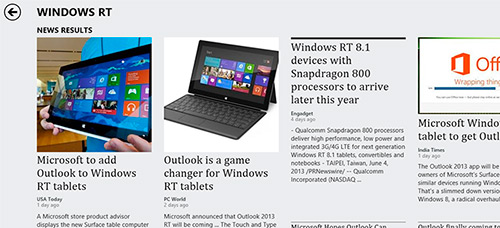
getting better each day, I preffer this MS apps than the Bento News. The "Topics creator" is the best thing on it and the RSS news creator is better than the Bento News one (has bugs).
For me, the best PDF reader where you can read, highlight text and scratch on. There's some crash complain on review, but mine works perfect
7. mZIP - It's always good to have a ZIP file apps to compress/uncompress files
Nice and cool apps to Mind Map your ideas, projets, concepts.
9. XE Currency - A nice apps to work with currency convertions. You can set your preferred to quick view them and make your convertions
Good news apps. Bring some nice news sources like Harvard Business Review, Gismodo and many others, but I still prefer Bing News
So cool apps. You can translate text as other, BUT it has a cool feature of pointing your camera to a sign, printed texts and show the translation over the text you have pointed to. CLICK here to read my review on it.
Very good notes taking apps. The best for handwriting and it has optional handwriting recognition. I've bought the Portuguese one and it works perfect. Take a look on my Notes Taking Apps REVIEW with OneNote, Evernote, Notes Anytime and others.
13. WordBook Dictionary - Great english-english dictionaty based on Thesaurus and other dics
Nice Wikipedia Apps.
Another really cool Notes Taking Apps for Audio, Photo, Text, Scratch and Video notes and the most stable apps on its category. Has one huge flaw: Don't have sync feature. Click HERE for a review on it and other notes taking apps.
The official one. Perfect to manage your twits
Always use this free apps that sends you and email every time your device from your place. You define a "imaginary fence" and the apps sends you an email with it's position (based on IP). I've tested it a lot and it is quite precise (about 100 feet)
18. Voice Notes
19. AcrSoft ShowBiz
20. MegaTube (watch and download Youtube Videos)
21. Bing Travel
22. FlightAware
23. WorldMate
24. PC Remote
25. ListMaster
26. PhotoShop Express
27. YourVersion Bible
28. Google Apps
29. G Maps (Google)
30. EaseUS FileManager
Well, and because everybody deserves some fun, I choose 5 extra APPS for gaming and fun.
31. Pinball FX
32. Drif Mania 2 (car racing)
33. CookBook
34. Places of Interest
35. SkyMap
36. ShareToResize Apps
